4. Use equipment
4.1. Using the Quick Page
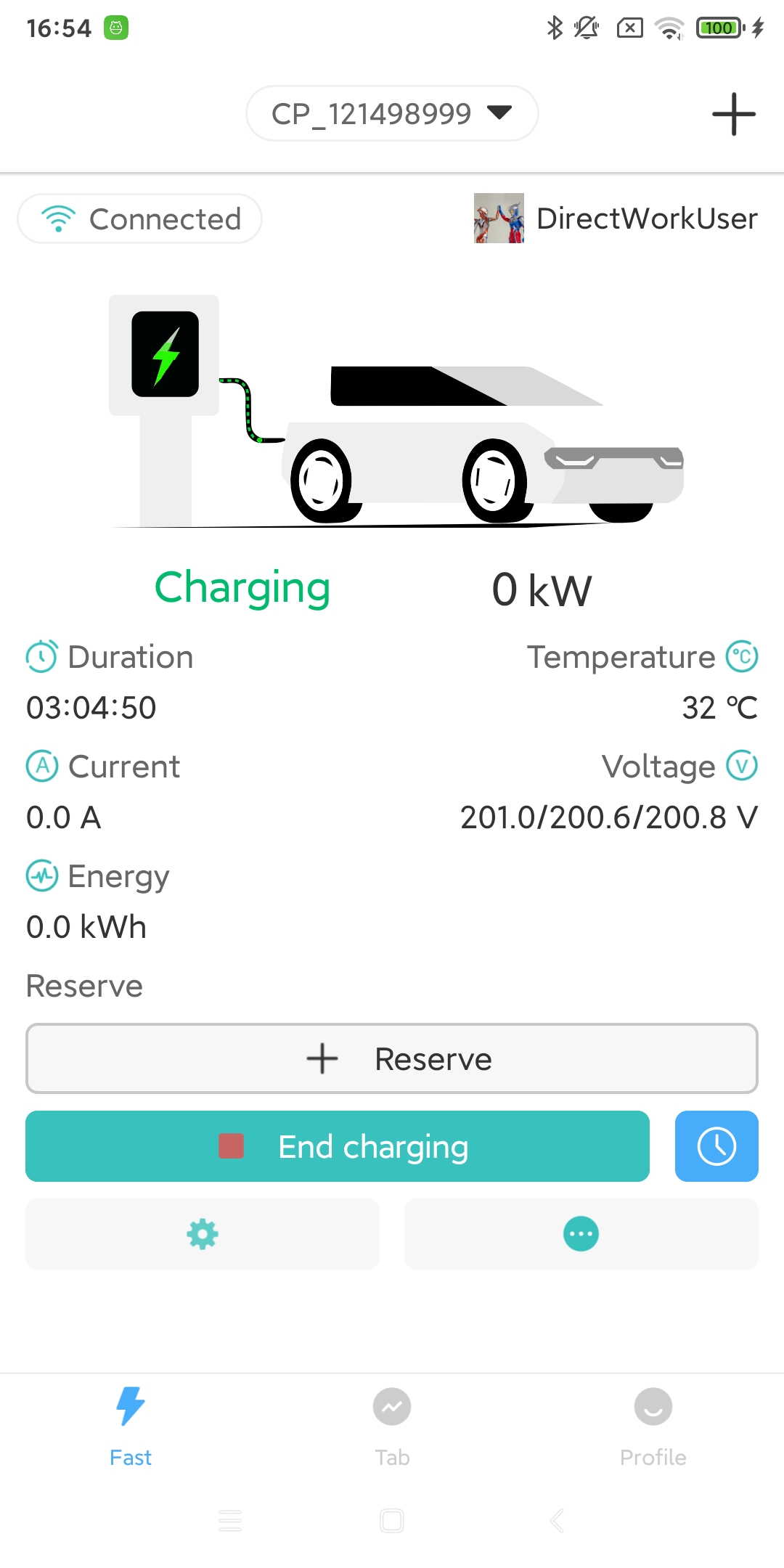
The reservation button allows charging according to the rules you have set. (Only available to the pile owner. If the device you are currently viewing is shared and permissions have not been granted, you can only use the ‘Timer’ icon button next to the ‘Start Charging’ button for a one-time reservation. For details, please refer to the device sharing process).
The “Start Charging”/”End Charging” button can start/end charging immediately.
The settings icon button allows basic parameter settings for the charging pile device. For details, please refer to.
The more icon button expands the functions of the charging pile device. For details, please refer to.
4.2. Use from the List page
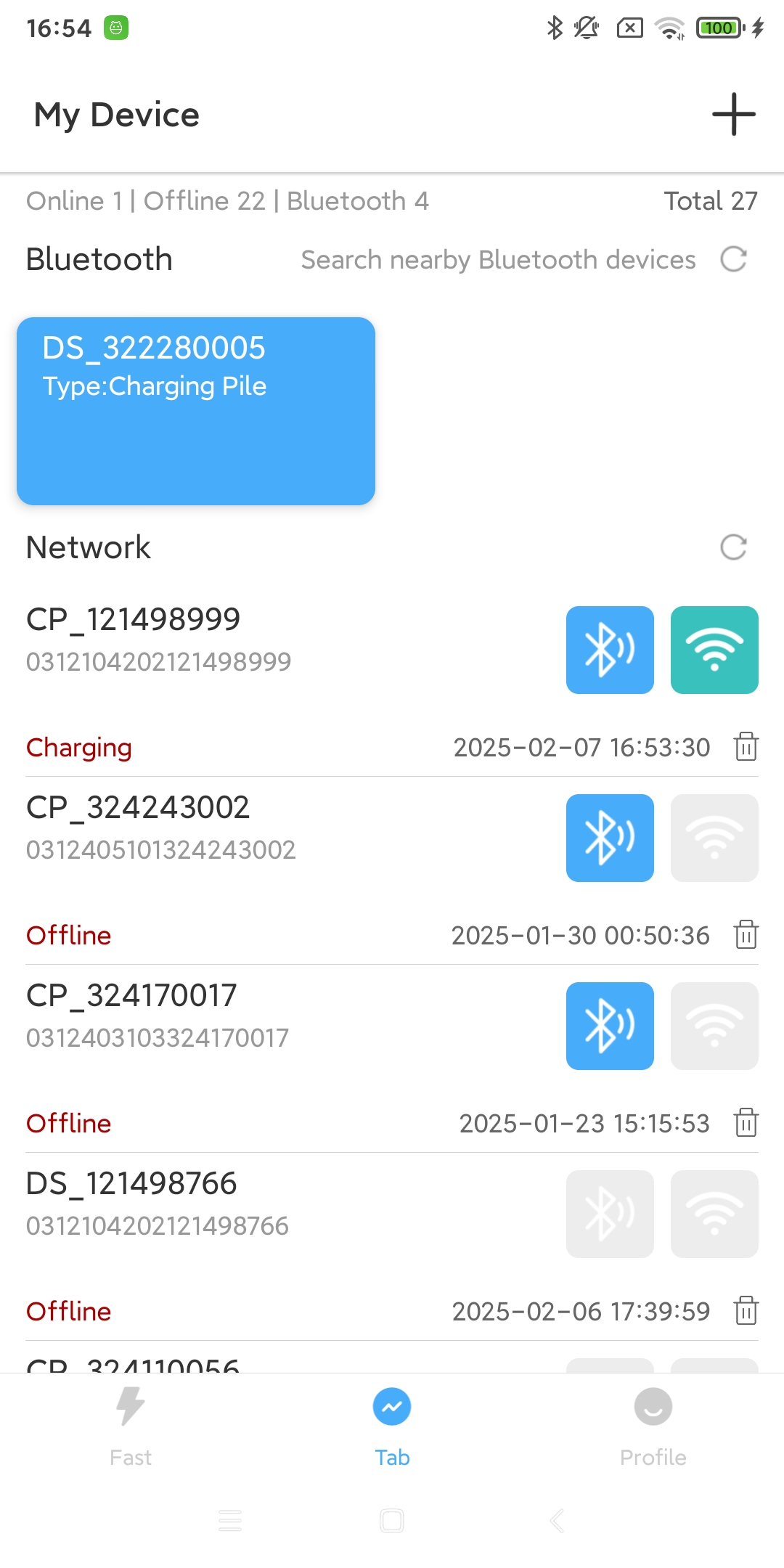
The list page displays your network devices and nearby devices.
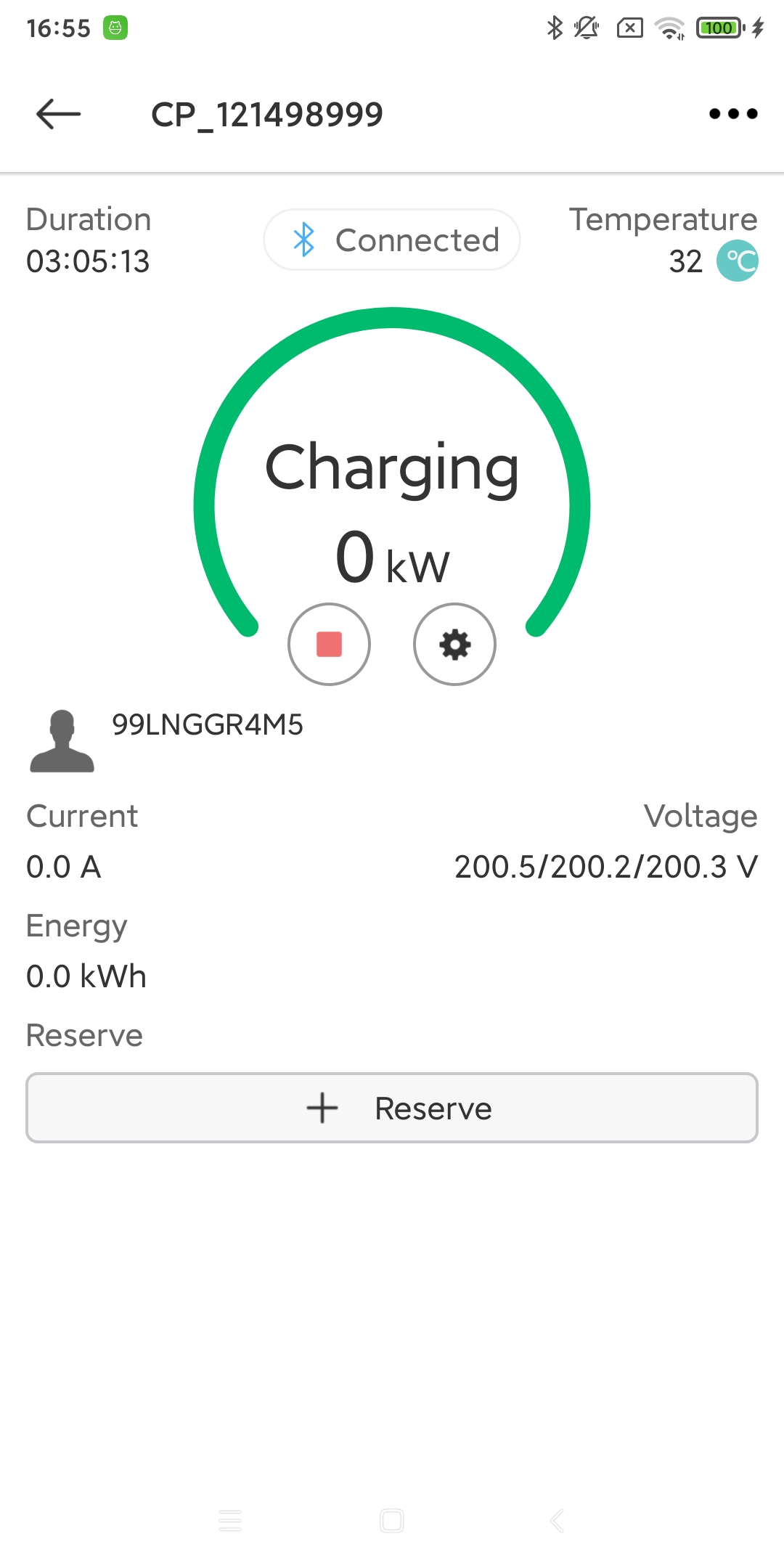
You can use the network to view or Bluetooth connection to view the charging pile device.
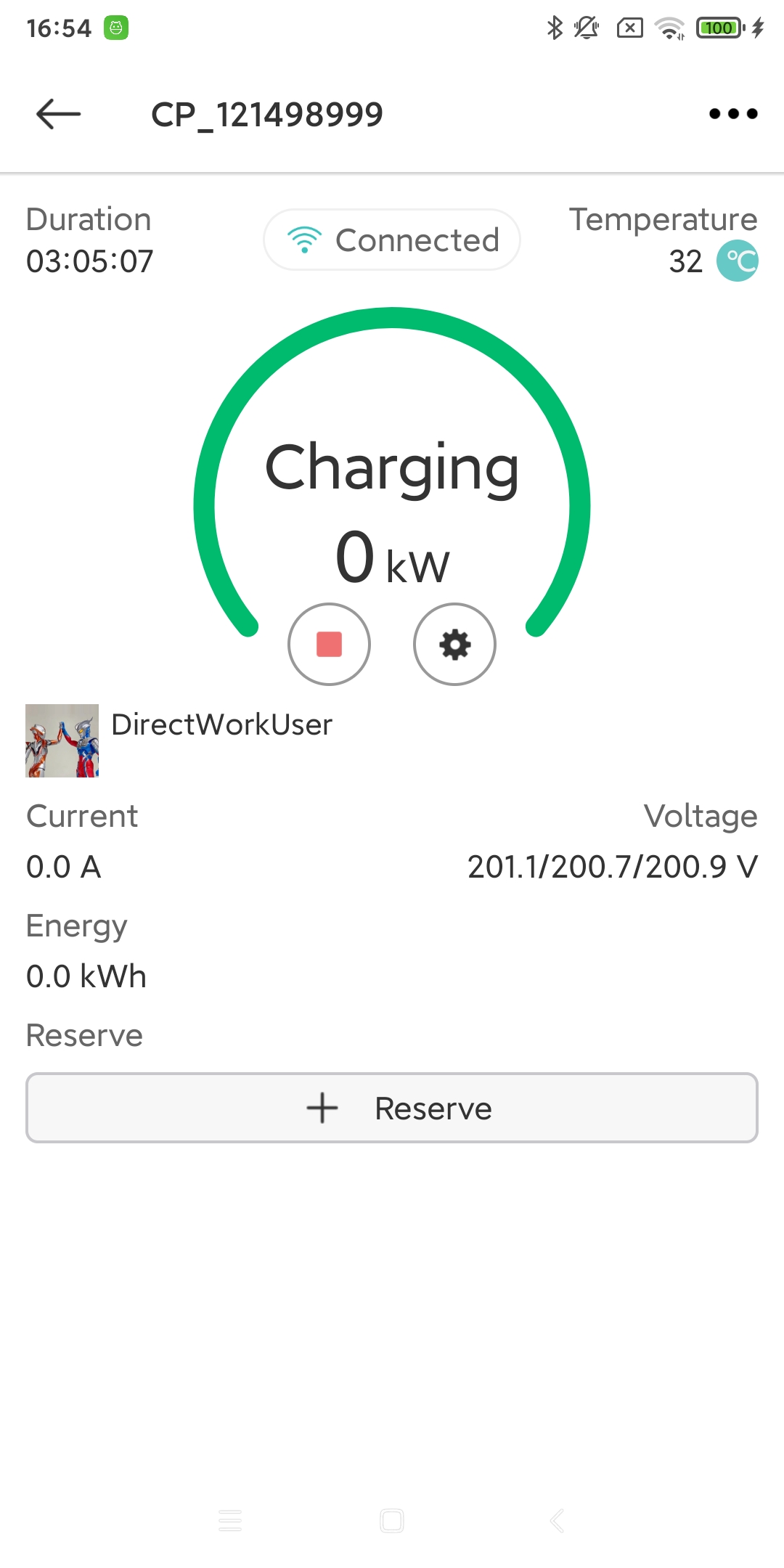
The reservation button allows charging according to the rules you have set. (Only available to the pile owner. If the device you are currently viewing is shared and permissions have not been granted.) For details, please refer to the device sharing process.
The “Start Charging”/”End Charging” button can start/end charging immediately.
The settings icon button allows basic parameter settings for the charging pile device. For details, please refer to.
The more icon button expands the functions of the charging pile device. For details, please refer to.
4.3. Device information display
- User:
The initiator of this charging transaction. (DirectWorkUser is the plug-and-play charging mode.)
- Duration:
The duration of this charging event. (The charging event does not end when the charging gun is unplugged, but when the charging gun is unplugged.)
- Connected:
Four possible icons may appear here: Wi-Fi signal, 4G signal, Ethernet signal, and Bluetooth icon. The first three icons represent the method by which the charging pile device is connected to the backend server. The Bluetooth icon indicates that the charging pile device is using a Bluetooth connection during this view.
- Temperature:
The temperature of the charging station device. You can set the unit of temperature display in “App Settings”. (Celsius or Fahrenheit).
- Status:
The charging pile device has the following statuses, you can check the meaning of different statuses.
- Power:
The current charging power of the charging pile device.
- Current:
The current of the charging pile equipment. (Unit: A)
- Voltage:
The current voltage of the charging pile equipment. (Unit: V)
- Energy:
The amount of electricity consumed by the charging pile equipment during this charging transaction. (Unit: kWh)
- Cost:
The cost of charging the charging pile device for this charging transaction. (You need to set the currency unit and cost range before charging).
Status |
Explanation |
|---|---|
Available |
The charging station is ready and available to provide charging service to electric vehicles (EVs). |
Preparing |
The charging station is performing pre-charge initialization tasks, such as system checks or preparing to start the charging process. |
Charging |
The EV is actively receiving charging from the charging station, and the charging process is in progress. |
SuspendedEVSE |
The charging session is temporarily paused, but the charging station remains available. This can happen due to issues detected by the charging station or user-initiated interruption. |
SuspendedEV |
The charging session is temporarily paused, and the EV is unable to access charging services. This can happen when the EV is temporarily halted from charging, such as when the user manually disconnects or the EV reaches full charge. |
Finishing |
The charging station is finishing up the charging process, such as transitioning the EV from fast charging to trickle charging. |
Reserved |
The charging station’s charging point is reserved and unavailable for other users to charge their EVs. |
Unavailable |
The charging station is temporarily unavailable and unable to provide charging service. This can happen due to equipment malfunctions, maintenance, or other reasons for downtime. |
Faulted |
The charging station has encountered a fault or error and is unable to operate normally. Repair or reboot of the equipment may be required. |